Screenshots should be working fine on Win7. There are just a couple security measures that Microsoft has put into place that might keep them from appearing.
First off, do you have User Account Control (UAC) turned on? This can prevent screenshots from being saved.
You can turn the feature off by pressing going to the control panel, and searching for "uac". It should be the only result. When the window appears, move the slider all the way down.
You might also be able to save the screenshots if you right-click on Anthem_Win7.exe and click "Run as Administrator". Back in Vista, this might have prevented people from dual-clienting, so I'd stick to changing the UAC setting.
Fidelis also found another workaround in a different thread:
C:\Program Files\Gravity\RO
Are you absolutely sure that there is no such thing as a "Compatibility Files" button in your RO or your Screenshot folder? It looks like this:
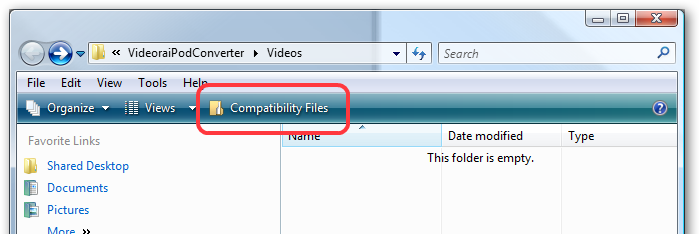
Also, is it possible that you may have downloaded the new installer, and installed it to C:\Games\AnthemRO, and now it saves the screenshots there, but you still look for them in the old folder C:\Program Files\Gravity\RO ?


